

Without it
Right now, you are the sync.
-
Two copies
You copy a page into your vault so you can read it on a plane, and a week later you cannot remember which of the two you edited.
-
The stale page
Someone updates the shared page in Notion. You find out the next time you happen to open it.
-
The paste
You finish a draft in Obsidian, paste it into Notion, and the tables arrive as flat text and the callouts arrive as nothing.
-
The tidy up
You keep meaning to tidy it up, and the tidying is itself an hour you do not have.
None of this is urgent, which is exactly why it lasts for years.
How it works
Three moves, then it looks after itself
Setting it up is a one time job measured in minutes. After that the only evidence N2O is running is that both sides agree.
- 01
Pick what to sync
Choose a place in Notion and a folder in your vault. That pair is a synced folder, and you can set up to five of them.
- 02
Edit either side
Write in Notion or write in Obsidian. N2O works out what actually changed and moves only that, so nothing gets flattened and nothing gets rewritten on the way.
- 03
Then forget about it
It runs on its own in the background. Across real installs, 80 of every 84 syncs happen without anyone pressing anything.
Synced folders
Three modes, three guarantees
A synced folder links one place in Notion to one folder in your vault. The direction is a promise, not a preference: a folder set to Get from Notion refuses to send your edits even if you ask, and tells you which folder stopped them.
Both ways Notion ↔ vault
Changes travel in both directions, whichever side you edit.
Nothing. This is the one that does everything.
Get from Notion (Pull) Notion → vault
Notion is the source, and the folder mirrors it.
Refuses to send your edits back, even if you ask, and names the folder that stopped them.
Send to Notion (Push) vault → Notion
That folder is your source, and Notion mirrors it.
A sync never writes into it. This is the one that protects a draft you care about.
A folder can also be paused, and a paused folder says so in the file explorer rather than looking exactly like an active one.
Fidelity
We check this before you do
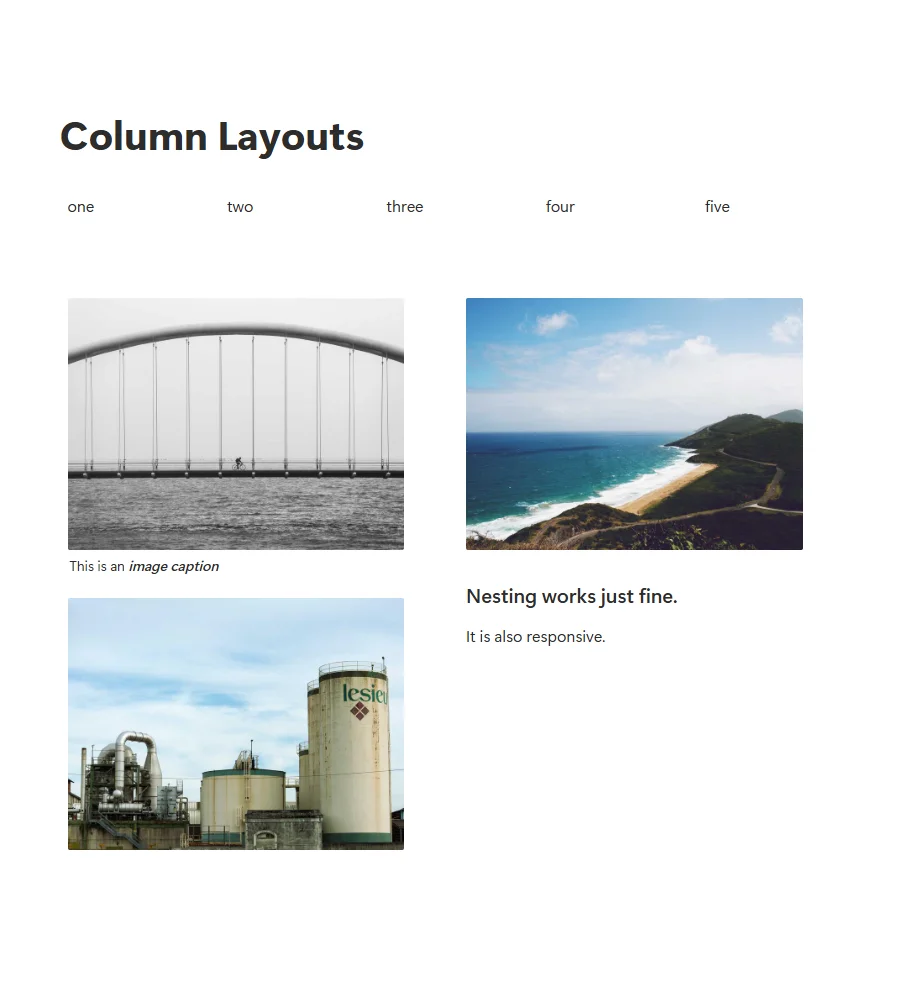
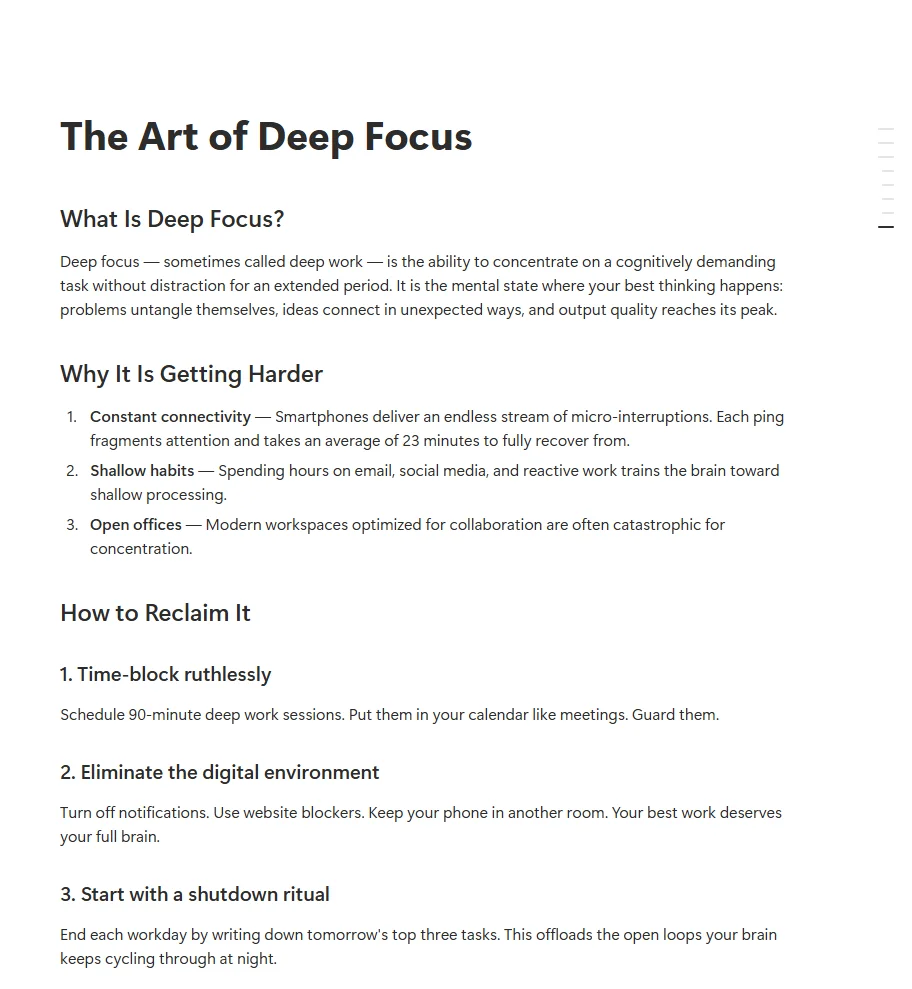
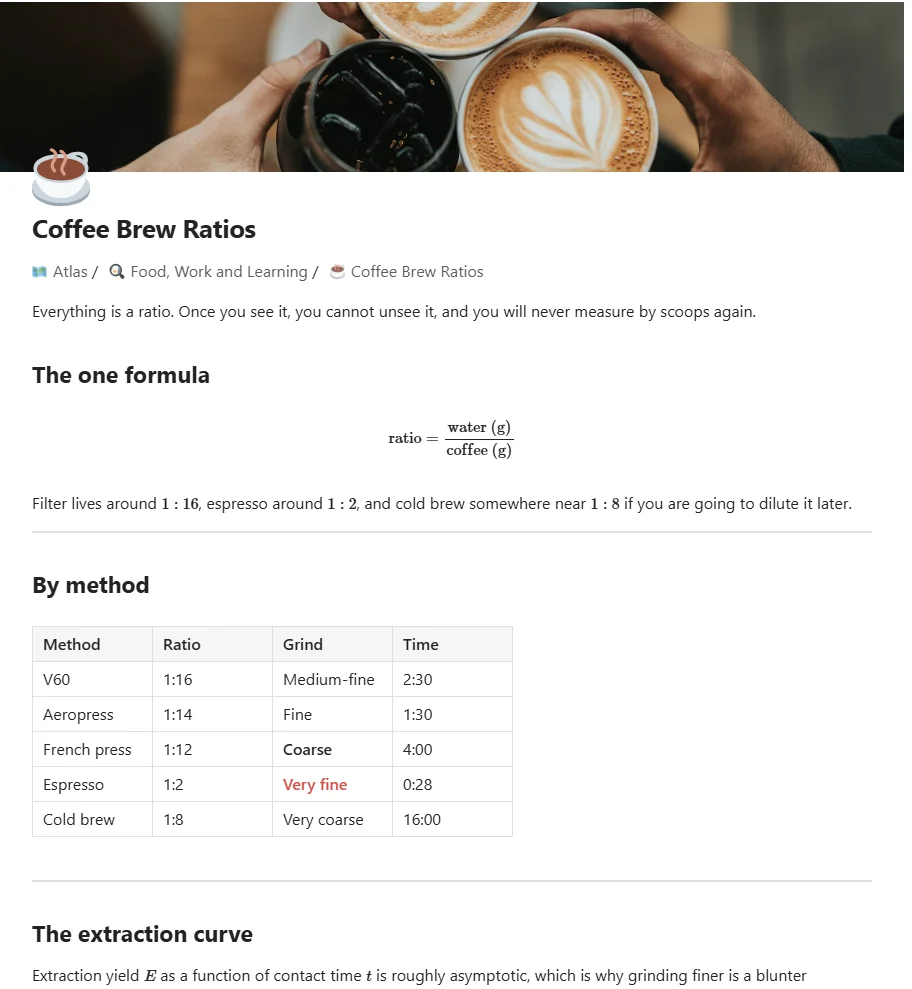
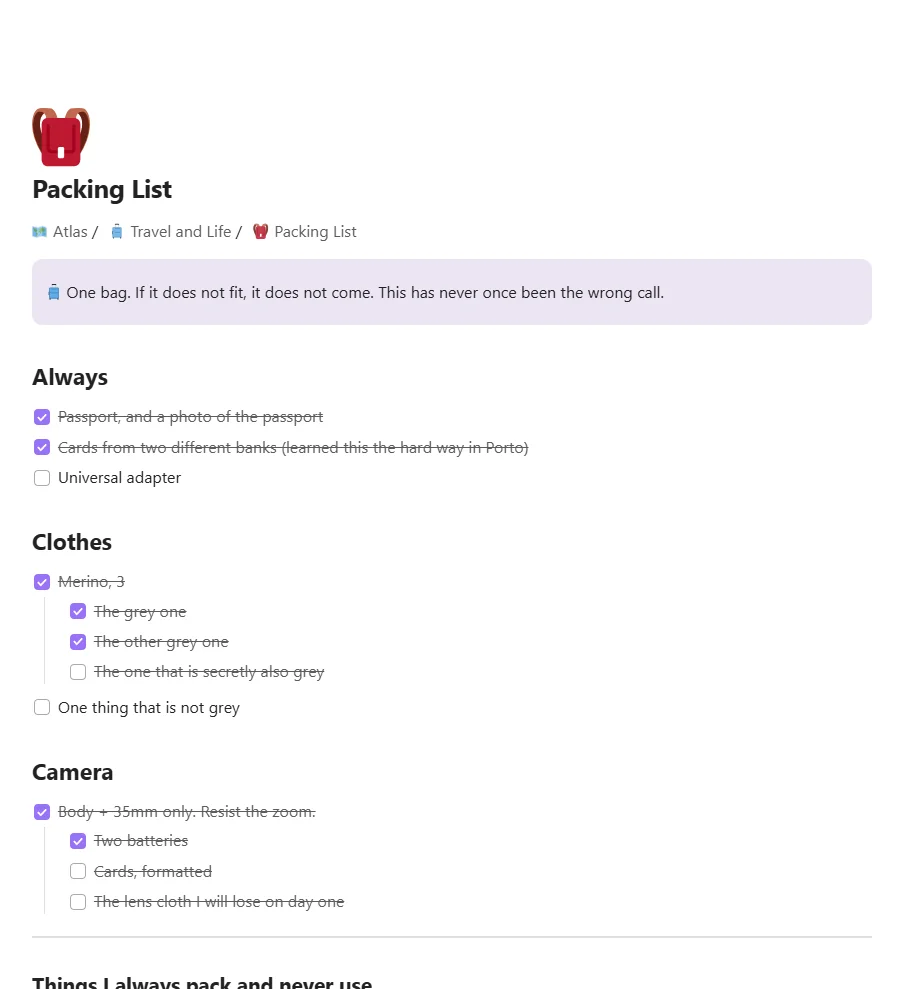
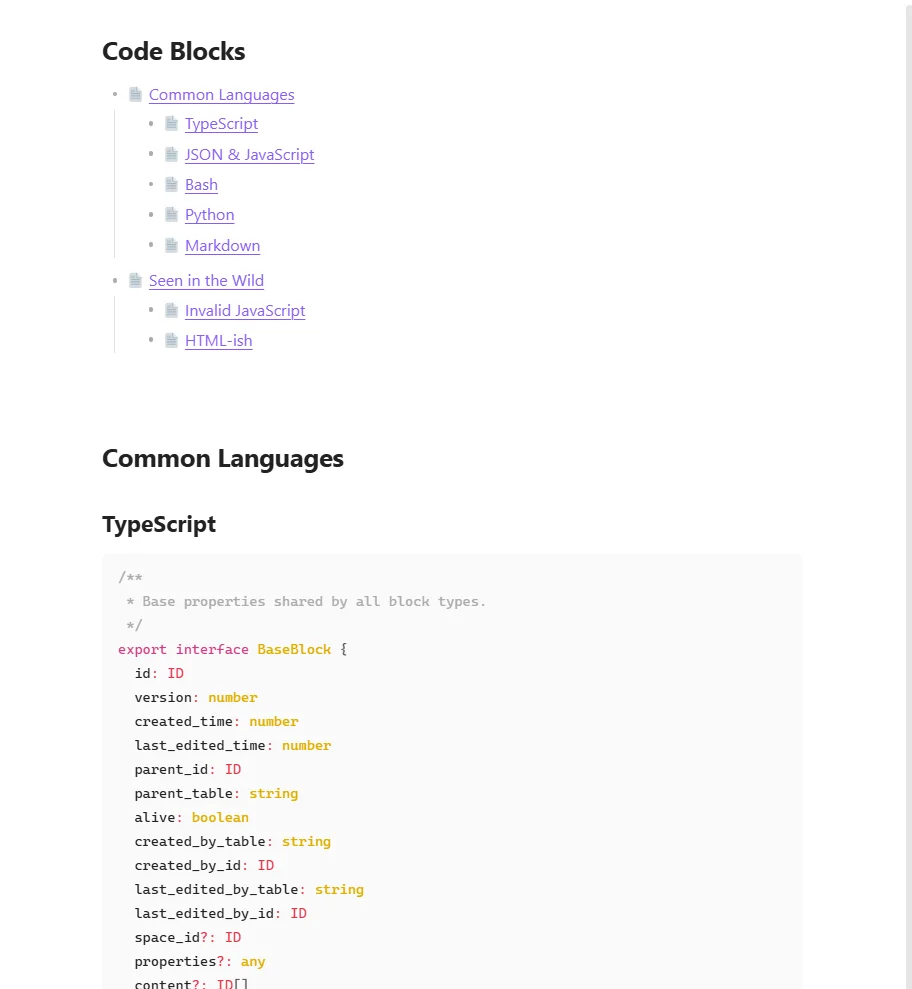
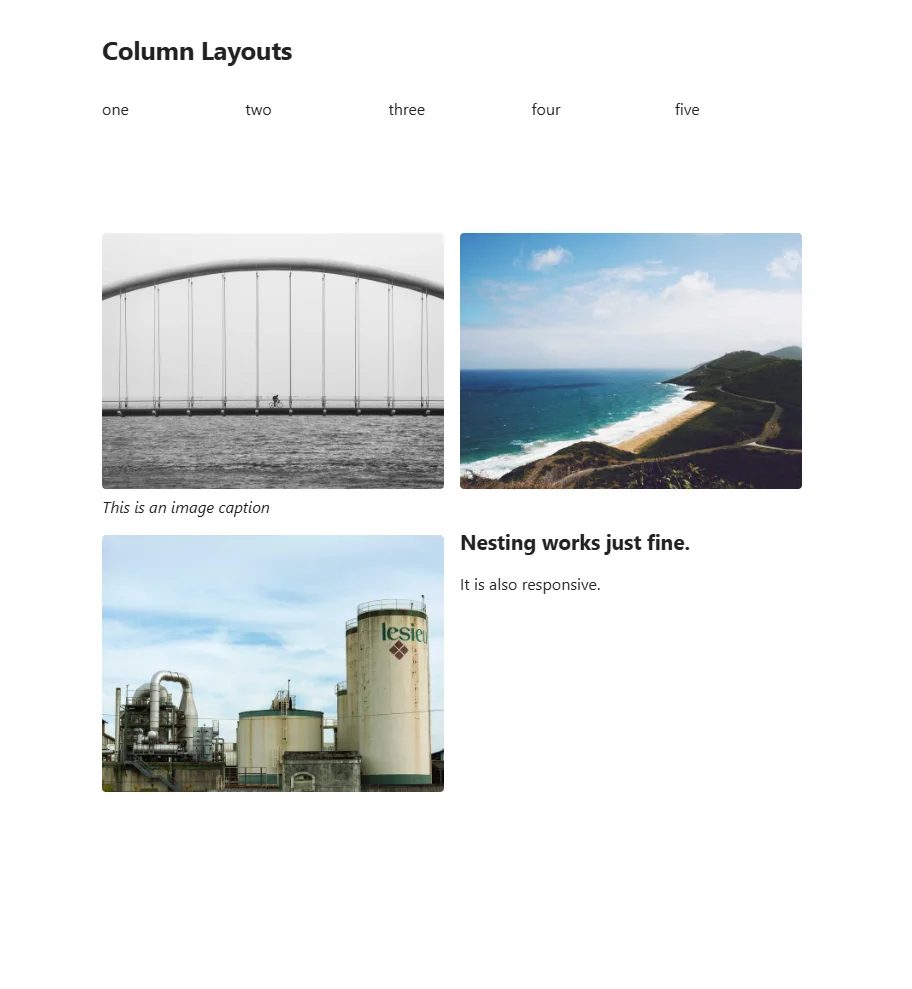
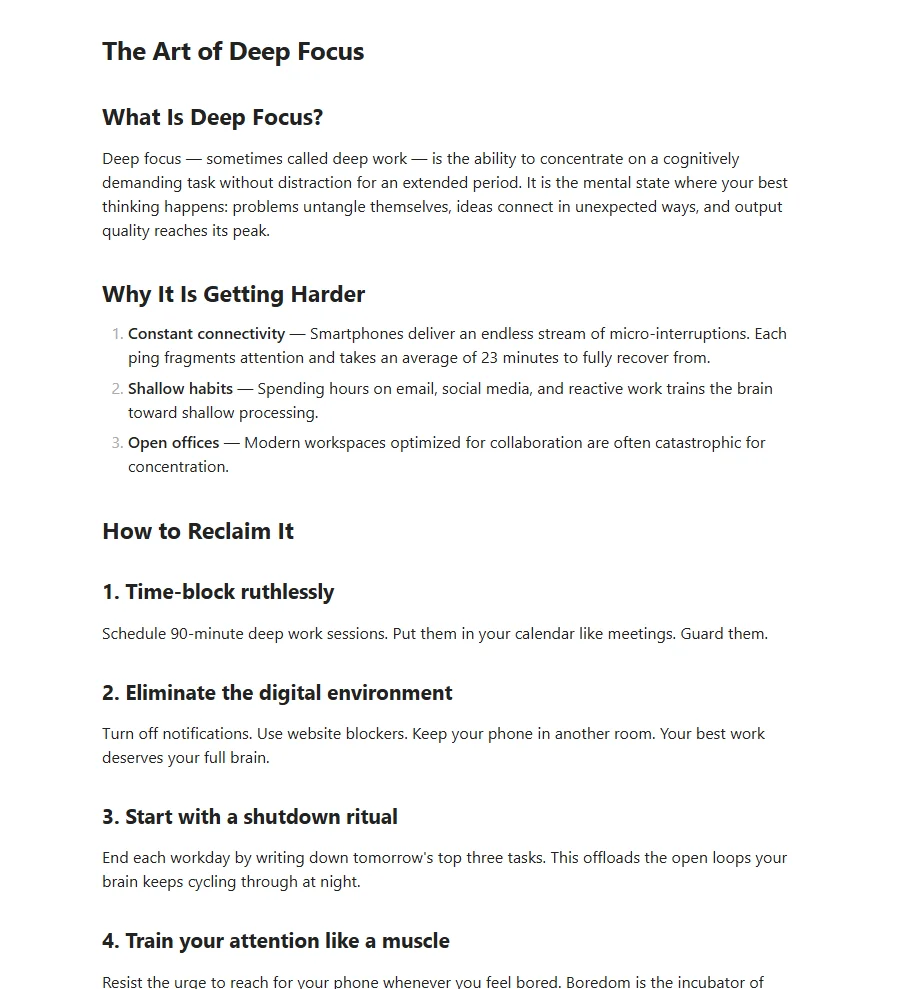
The same page, at the same moment, in Notion and in a vault. Not a mockup: these come straight out of the visual comparison that runs before every release, which walks real pages side by side and fails if they drift.
 Notion
 Your vault, in Obsidian
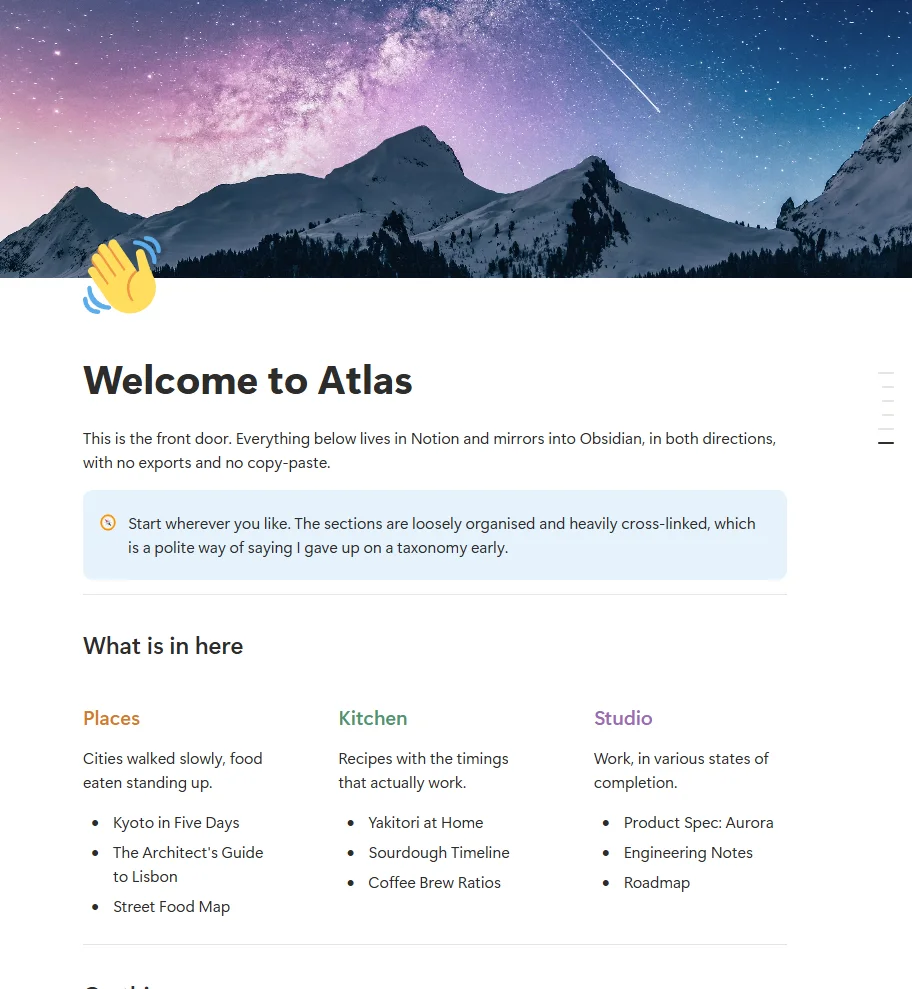
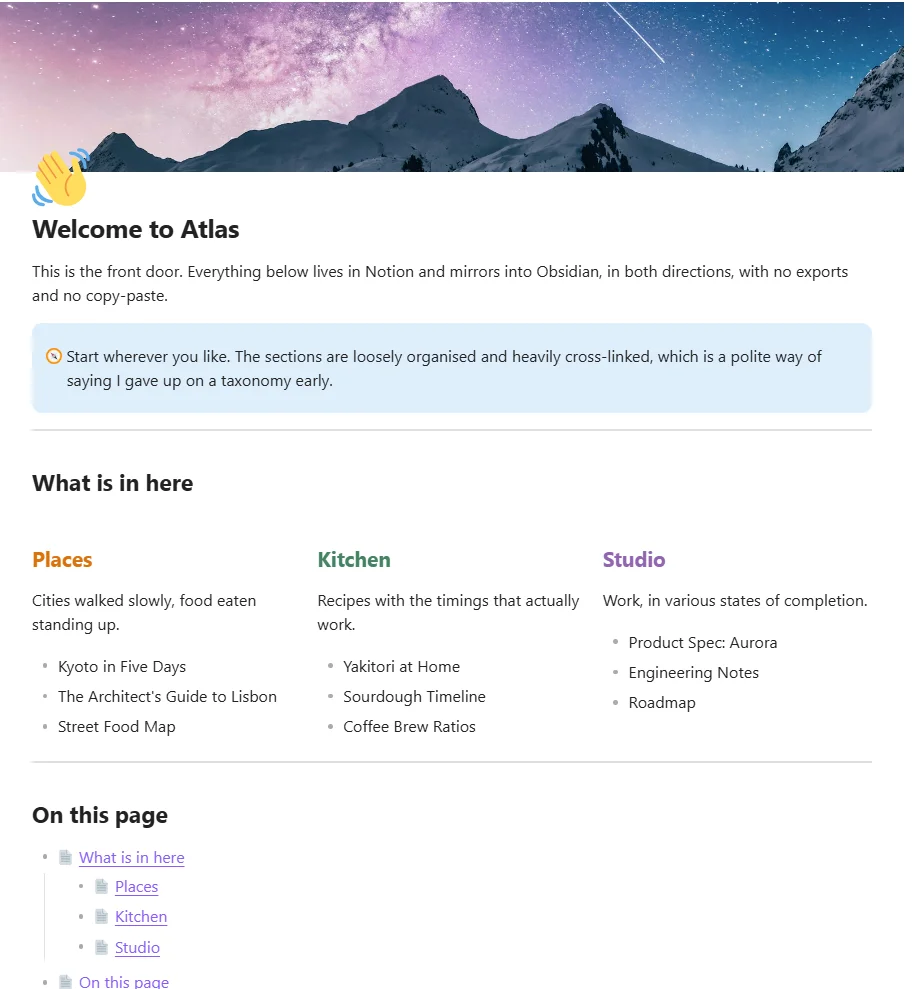
Welcome to Atlas. Three columns stay three columns, the cover and the page icon come across, and coloured headings keep their colour.
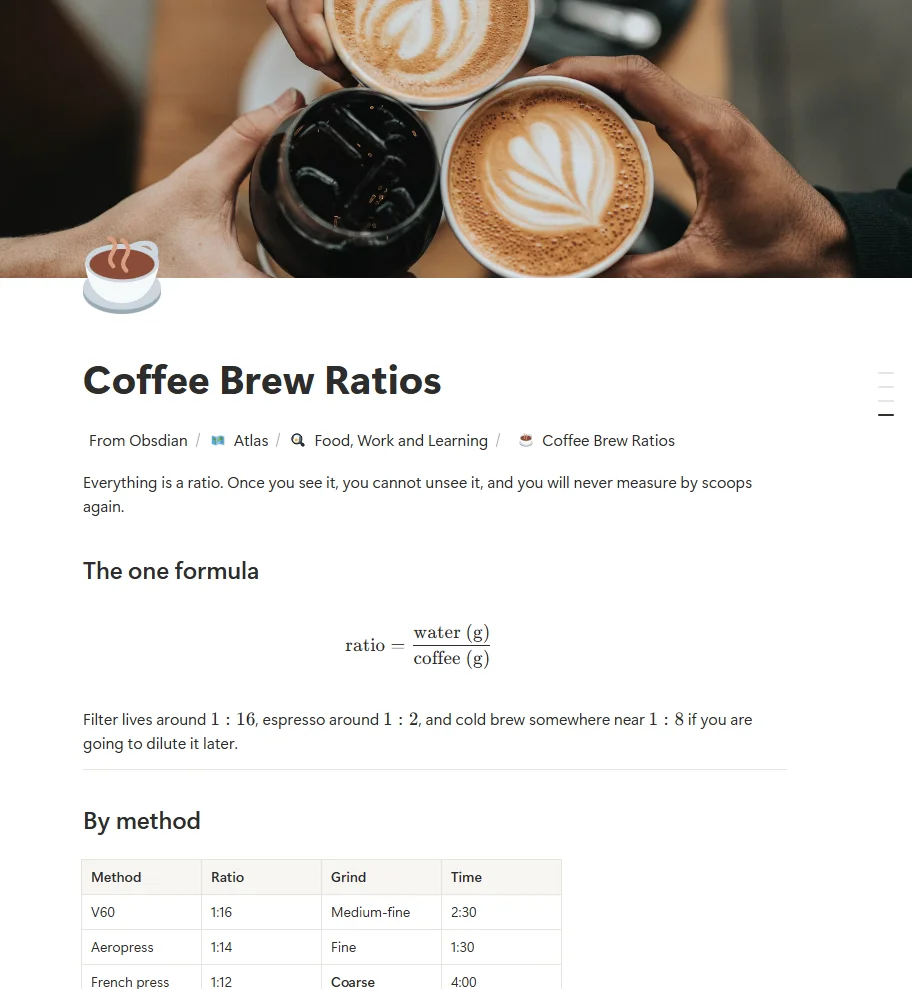
Coffee Brew Ratios. The equation renders as a fraction rather than as raw LaTeX, and the table keeps its header, its bold cell and its coloured cell.
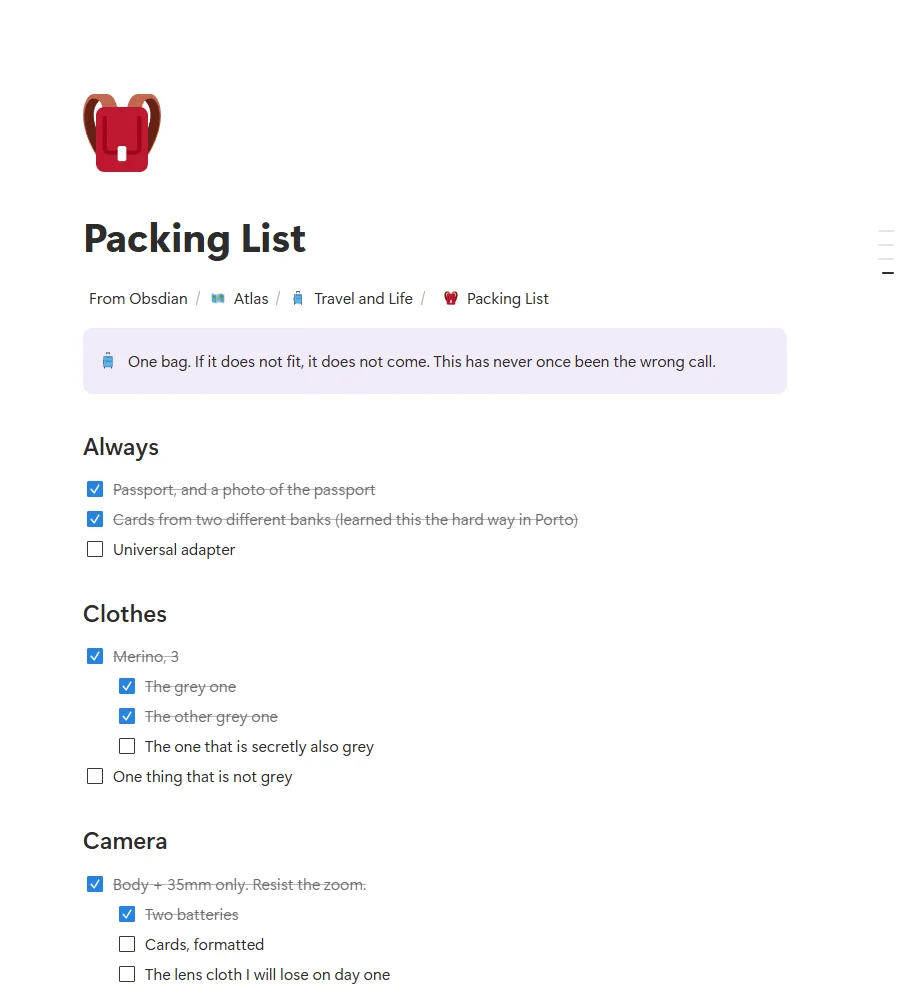
Packing List. Ticked items stay ticked and struck through, and a to-do nested under another stays nested.
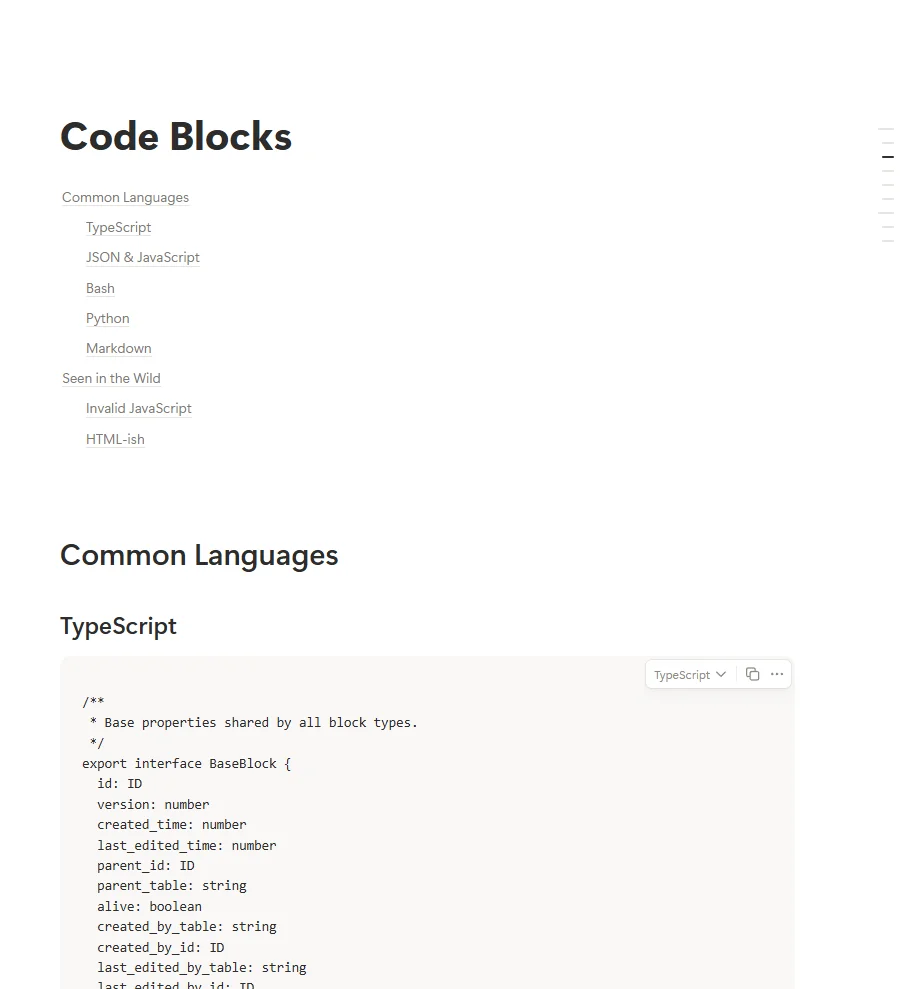
Code Blocks. Code keeps its language, its indentation and its comments, and the contents list at the top arrives as links that work.
Column Layouts. Photographs arrive as real files on your disk, in the layout they sat in: five columns stay five, and a caption stays with its picture.
The Art of Deep Focus. Not one block type, a whole page: headings, numbered steps and the bold lead-in on each one all land as written.
The visible difference is line length: Obsidian's editor column is wider than Notion's page column, so the text wraps in different places. Everything we know of that does not survive a round trip is listed on the limitations page, including what is still unfixed.
If you stop paying
Cancel tomorrow. Keep everything.
Your notes are markdown files in a folder on your own computer. Not a database, not an export, not a format that needs N2O to open. If your licence lapses, the files do not change, move or lock. You keep reading and editing them in Obsidian exactly as before.
The same is true in the other direction. We do not have your notes. There is no N2O cloud, no copy of your vault, no index of it. Your email address and your licence are all that sit on our server, and neither of them is anything to do with your writing.
- Your notes
- Plain markdown, on your disk, readable by anything
- Your Notion pages
- Untouched. They are Notion's, and they stay there
- If N2O disappeared
- You would keep both copies. You would go back to copying by hand
Before you buy
What N2O does not do
- It is not a Notion client. You still open Notion to do Notion things. N2O keeps a copy of your pages in your vault and sends your edits back.
- It is desktop only. Obsidian mobile is not supported, because the sync needs a real filesystem and real network control.
- Some Notion features have no Obsidian equivalent, and a few round trips lose detail. The limitations page lists every one we know about, including the ones we have not fixed yet.
- A first sync of a large workspace is slow, because Notion decides how fast anyone can read it. After that only what changed is fetched.
This release began as a performance pass, and a number of repeated lookups inside a single sync are gone. I then measured it against the previous build on the same 167 item workspace, and the wall clock did not move. A cold pull went from 806 to 784 seconds and a warm one from 472 to 492, which is noise. So I am not going to tell you this release is faster.
Why this exists
I built it because I was the sync.
I built N2O because I was keeping the same notes in two places by hand. My work lived in Notion, because that is where everyone else was. My thinking lived in Obsidian, because that is where I could actually think. Copying between them was a small tax I paid every day, and I got tired of paying it.
It was much harder than I expected. Notion and Obsidian disagree about almost everything: what a toggle is, where a table ends, what should happen when you edit both sides at once. Most of what I have built is an answer to one of those disagreements.
I am still fixing things, and when a release does not do what I hoped, I say so in the changelog.
Simha
Compared with
The two things people do instead
Both of these work, and one of them is free. Here is where each stops working, said plainly enough that you can decide against us.
| Compared on | Copying by hand | Exporting once | N2O |
|---|---|---|---|
| Stays up to date | Only when you remember | No. It is a snapshot of one afternoon | Automatically, in the background |
| Works both ways | Yes, if you do it twice | No. Out of Notion only | Yes, and each folder decides which way |
| Tables, equations, callouts | Usually arrive flat | Mostly survive | Checked against Notion before every release |
| Notes on your own disk | Yes | Yes | Yes |
| Effort per change | A minute, every time, forever | A whole re-export | None |
| Cost | Free, in money | Free | $8 a month, or $80 a year |
| If you stop | Nothing changes | Nothing changes | Nothing changes. The files are already yours |
If you only ever move a handful of pages, copy them by hand. That is not a joke and it is not reverse psychology: N2O earns its money on the twentieth page and on the fourth month, not on the first one.
Pricing
One price, whichever way you prefer to pay it
Every plan is the whole product. There is no reduced tier, no page limit and no feature held back, because a sync that only half works is not worth selling.
Annual
$80 a year
Twelve months for the price of ten.
Get Annual or buy on GumroadStart with a 14-day free trial, every feature unlocked, up to 300 pages, no card.
Students and academic staff: $79, once, forever. Get the academic price using your university email address.
Before you decide
The questions worth asking
These are the ones that actually stop a purchase, not the ones that are easiest to answer. If yours is not here, ask me and I will answer it myself.
Can you read my notes?
No, and not because I promise not to. I do not have them. There is no N2O cloud, no copy of your vault, no index of it. The plugin runs on your computer and talks straight to Notion, so your notes go from your machine to your workspace and back and never travel through anything of mine. If you asked me today to show you one line of one of your pages, I could not do it. What sits on the server is your email address and your licence key, and that is the whole list.
What happens to my notes if I stop paying?
Nothing. They are markdown files in a folder on your computer and they stay exactly where they are, readable by Obsidian or any text editor. N2O stops syncing; it does not take anything with it.
Is my Notion token safe?
You connect through Notion's own authorisation screen and choose which pages to share, so N2O never sees a password and only reaches what you picked. The token is stored on your own machine. You can revoke it from Notion at any time and the plugin stops immediately.
Can it overwrite my work?
A push checks what Notion last recorded before it writes, so an edit made while you were working is not silently replaced. When both sides changed and the result is not obvious, N2O stops and asks rather than guessing. A folder set to Send to Notion is never written into by a sync at all.
Does it work offline?
Obsidian does, which is most of the point. You read and write in your vault with no connection, and the next sync catches Notion up. Nothing queues up in a way you have to manage.
What if it goes wrong on my vault?
Start with one folder rather than your whole workspace, which is what the first sync guide walks you through. The trial is fourteen days precisely so you can find out on your own material before paying anything.