Installation
N2O Sync Lite is in Obsidian’s community store. One button, and Obsidian opens on the install screen.
Add to Obsidian Open the plugin pageOr find it by hand: Settings > Community plugins > Browse, search N2O Sync Lite, then Install and Enable.
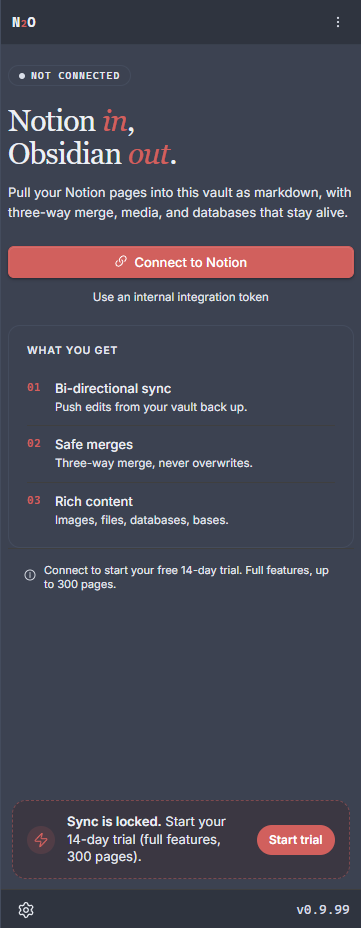
After enabling it, open the panel from the ribbon icon and you will see the connect screen:
Lite, and the full plugin
Section titled “Lite, and the full plugin”There are two editions, and Lite is the one in the store. It pulls your Notion pages and databases into plain Markdown, with working links, downloaded media and frontmatter you can query. It does not push anything back to Notion, and it stops at 100 notes in a vault.
| N2O Sync Lite | N2O | |
|---|---|---|
| Direction | Notion to Obsidian | Both ways |
| Notes | Up to 100 per vault | No limit |
| Price | Free, forever | 14 days free, then Pro or Lifetime |
| Install | The button above | From inside Lite, or from GitHub |
Move up to the full N2O
Section titled “Move up to the full N2O”From inside Lite. Lite has an upgrade panel that fetches the full plugin from GitHub and installs it for you. This is the shortest path and the one to use if Lite is already running.
With BRAT, if you would rather it updated automatically alongside your other beta plugins:
- Install BRAT from Obsidian’s community plugins.
- Open BRAT settings and click Add Beta Plugin.
- Enter
https://github.com/n2osync/n2o. - BRAT installs N2O and keeps it up to date.
By hand, if you prefer to see exactly what lands in your vault:
- Open the latest release.
- Download all four files:
main.js, the plugin codestyles.css, the plugin stylesmanifest.json, the plugin metadatasql-wasm.wasm, the SQLite engine the sync database needs
- Create the folder
.obsidian/plugins/n2o/in your vault. - Copy the four files into it.
- Restart Obsidian and enable N2O under Settings > Community plugins.
The full edition is not in the community store yet. Two-way sync is a larger review than a one-way plugin, and Lite going in first is what made the store route possible at all.
System requirements
Section titled “System requirements”- Obsidian 1.12.4 or later, desktop only, on Windows, macOS or Linux
- A Notion account, connected with OAuth or an integration token
- An internet connection, for talking to Notion’s API
Next steps
Section titled “Next steps”Once it is installed, connect your Notion account.